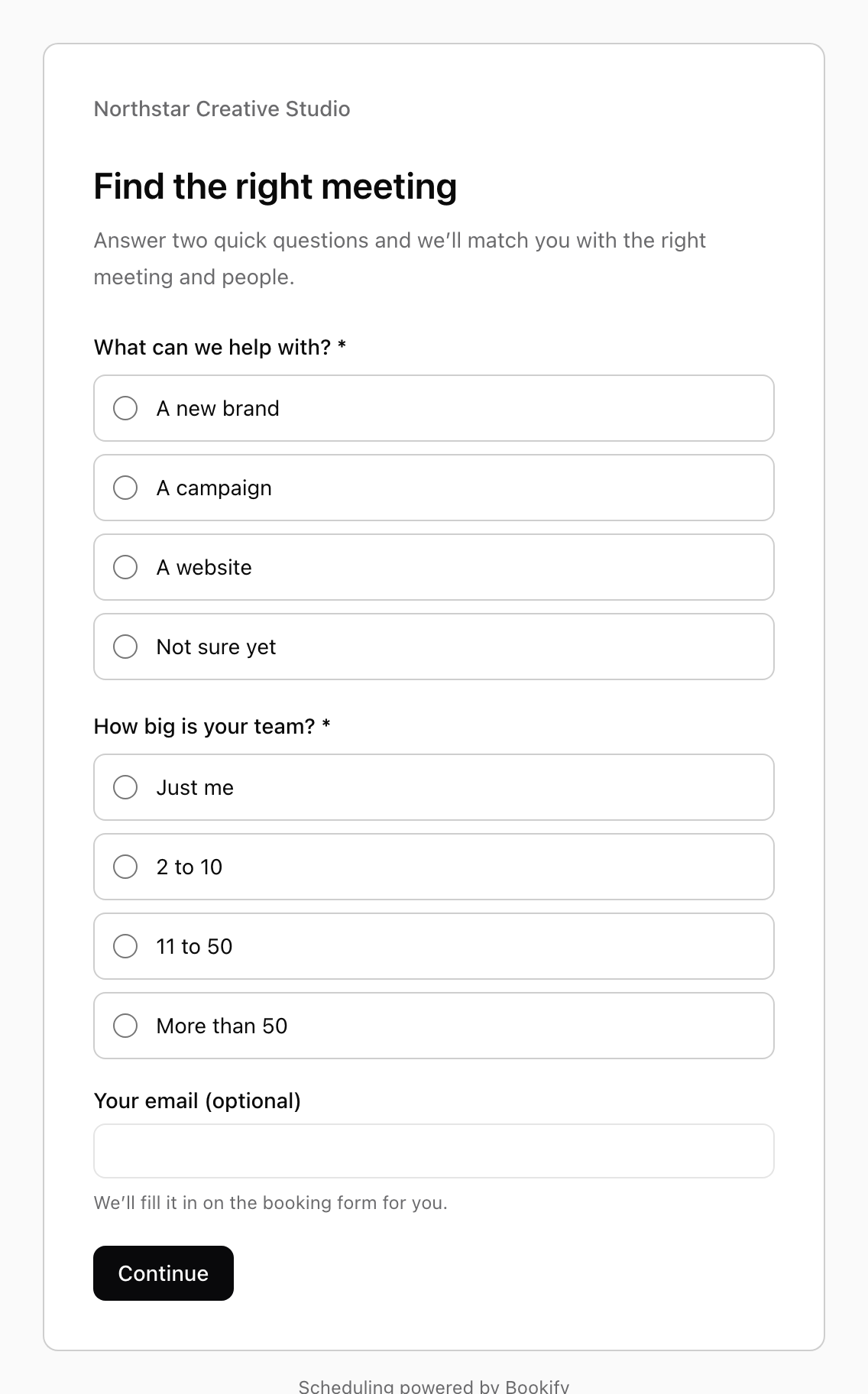
A few questions. A better match.
Routing forms guide each enquiry to the right meeting type. Give people a clear next step before they even see your calendar.
A little less back-and-forth
Share a link. Let people pick a time.
Leave the scheduling to Bookify.

Meeting scheduling, made simple
A booking page that feels like you. Open times that work for them.
Your next meeting, already in the calendar.

Show all your meeting types, or share a direct link. Offer different lengths, ask a few questions and let guests bring someone along.
People book in their own time zone, without an account. Video links arrive automatically. Rescheduling is just as easy.
Availability that respects your day
Choose when you meet and when you don’t. Bookify checks your hours, meeting rules and connected calendar, then checks again before a time is booked.
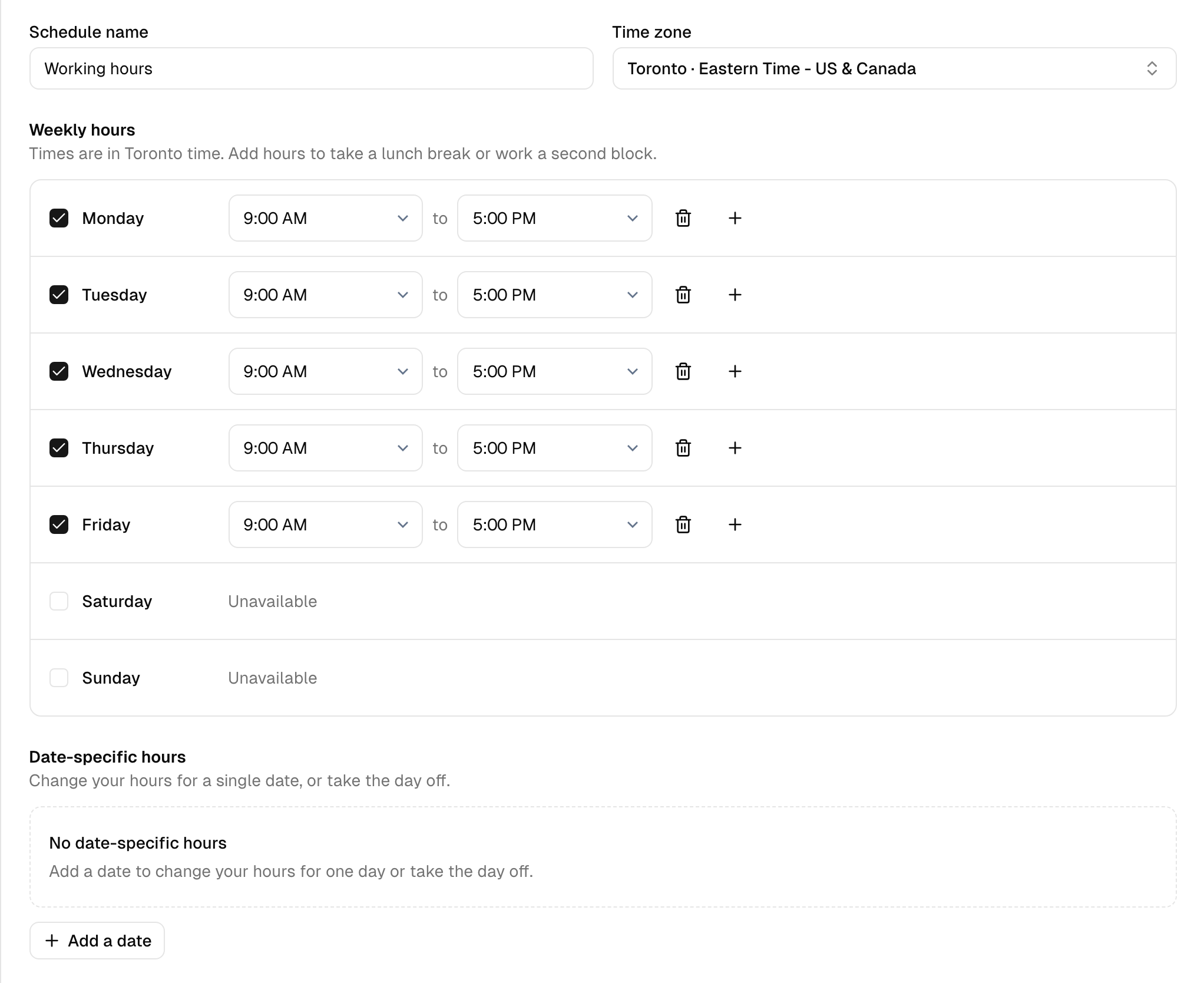
One person or a whole team
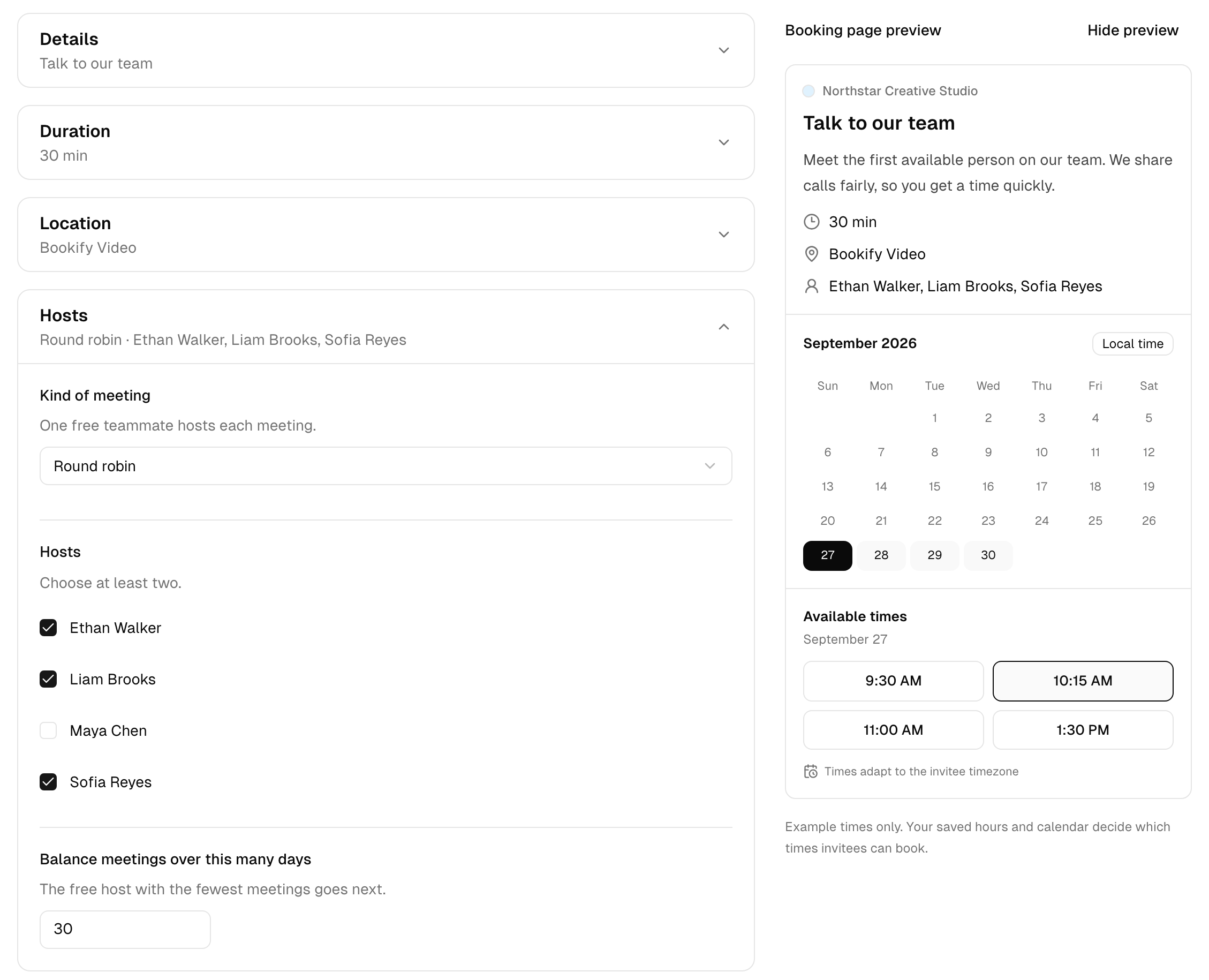
Intro calls, workshops, sales demos or panel interviews. There’s a way to book every kind of conversation.
One host meets with one person.
One host meets with several people at once, up to the number of seats you set.
Each meeting goes to one free teammate. The host with the fewest meetings goes next.
Several hosts meet one person together. Only times when every host is free are shown.
An easier way to find the fit
Routing forms guide each enquiry to the right meeting type. Give people a clear next step before they even see your calendar.
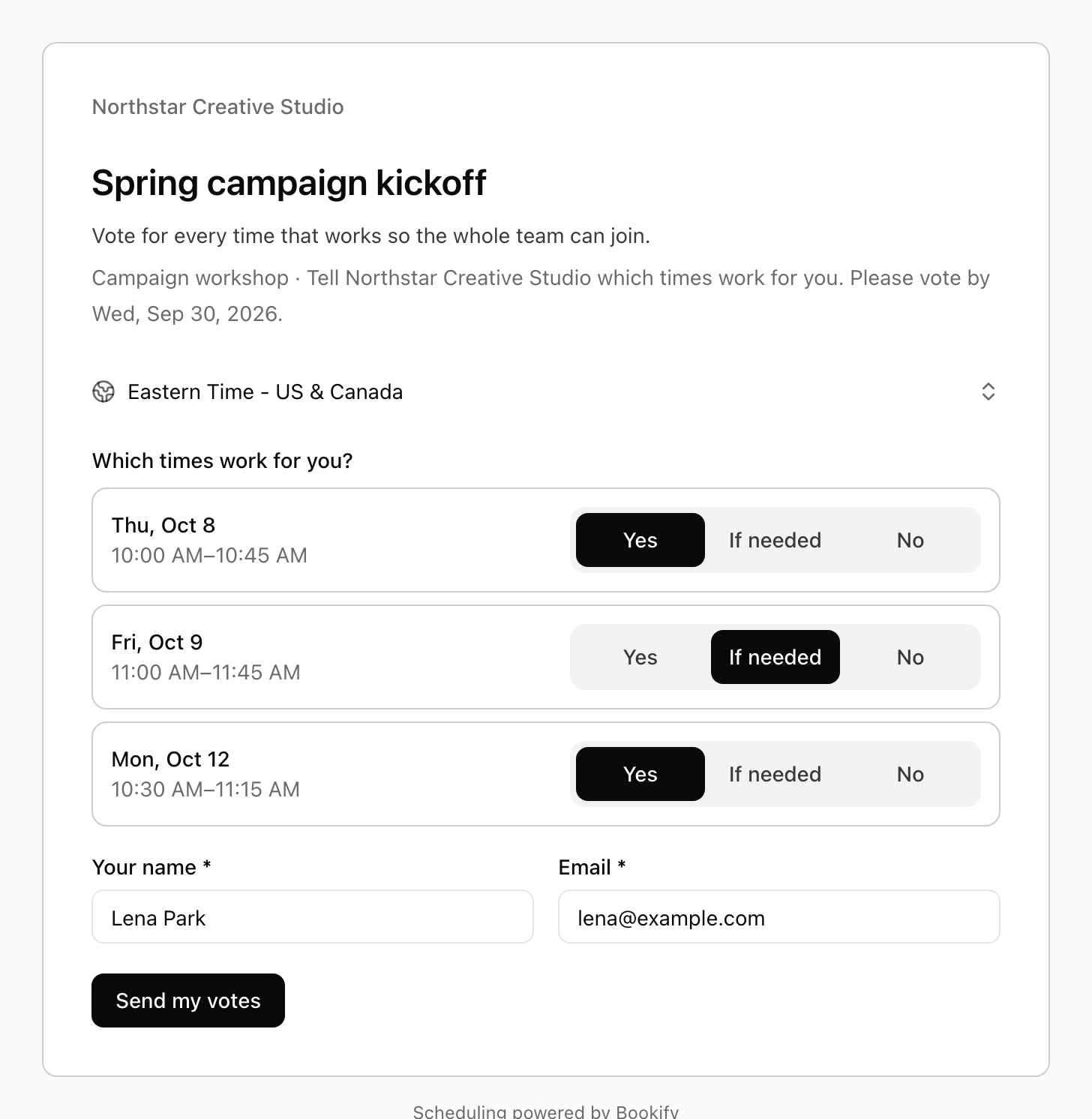
Send a meeting poll when one calendar isn’t enough. People vote yes, if needed or no. Choose the time that works best.
Before, during and after
A confirmation. A timely reminder. A thank-you after the call. Keep everyone in the loop without another thing on your list.
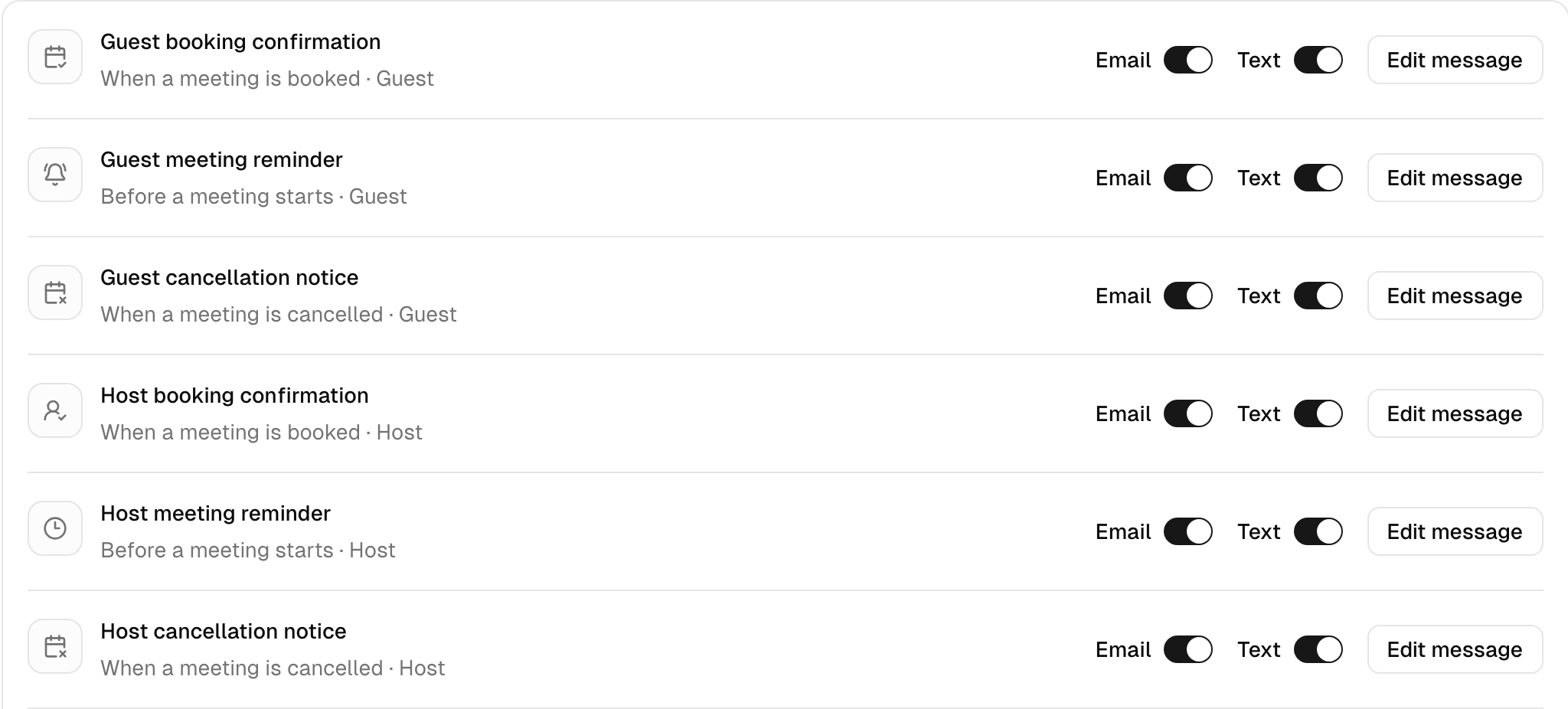
Send confirmations, reminders, cancellations and follow-ups by email and text to hosts and guests. Make the wording your own. Guests can add meetings to Google Calendar, Outlook or Apple Calendar, and reschedule or cancel from their confirmation.
Bookify Video is built in. Your familiar tools are welcome, too.

Your calendar, connected. Google Calendar blocks busy times and keeps meetings in sync. Zoom and Google Meet links are created automatically. Or meet in person and share your address.
Your tools, working together. Take full payments or deposits with Stripe. Send booked, rescheduled and cancelled meetings to other apps with webhooks, including Webhooks by Zapier on a paid Zapier plan.
Behind every good meeting
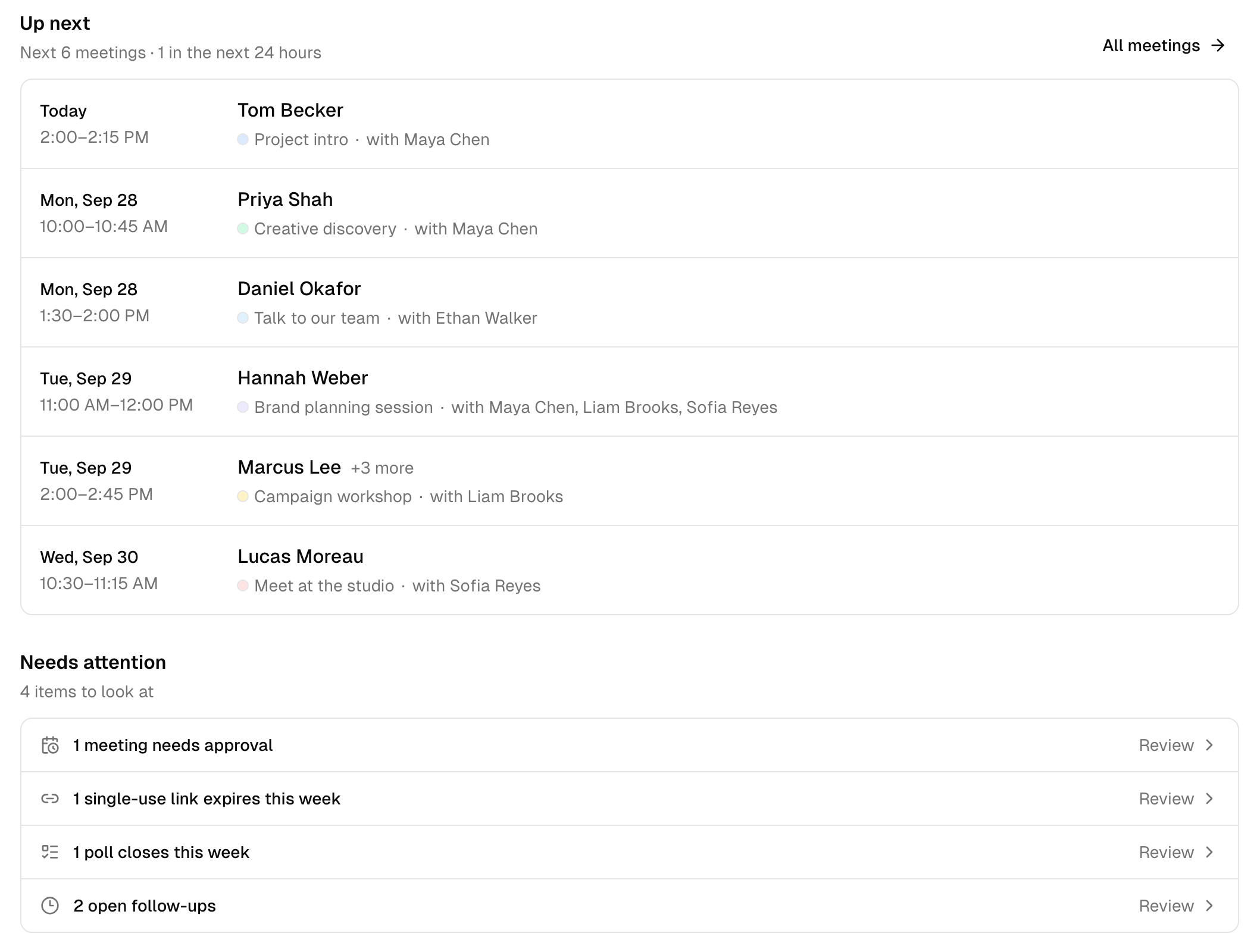
Upcoming meetings, requests to approve, polls closing soon and follow-ups. Everything that needs your attention, together.
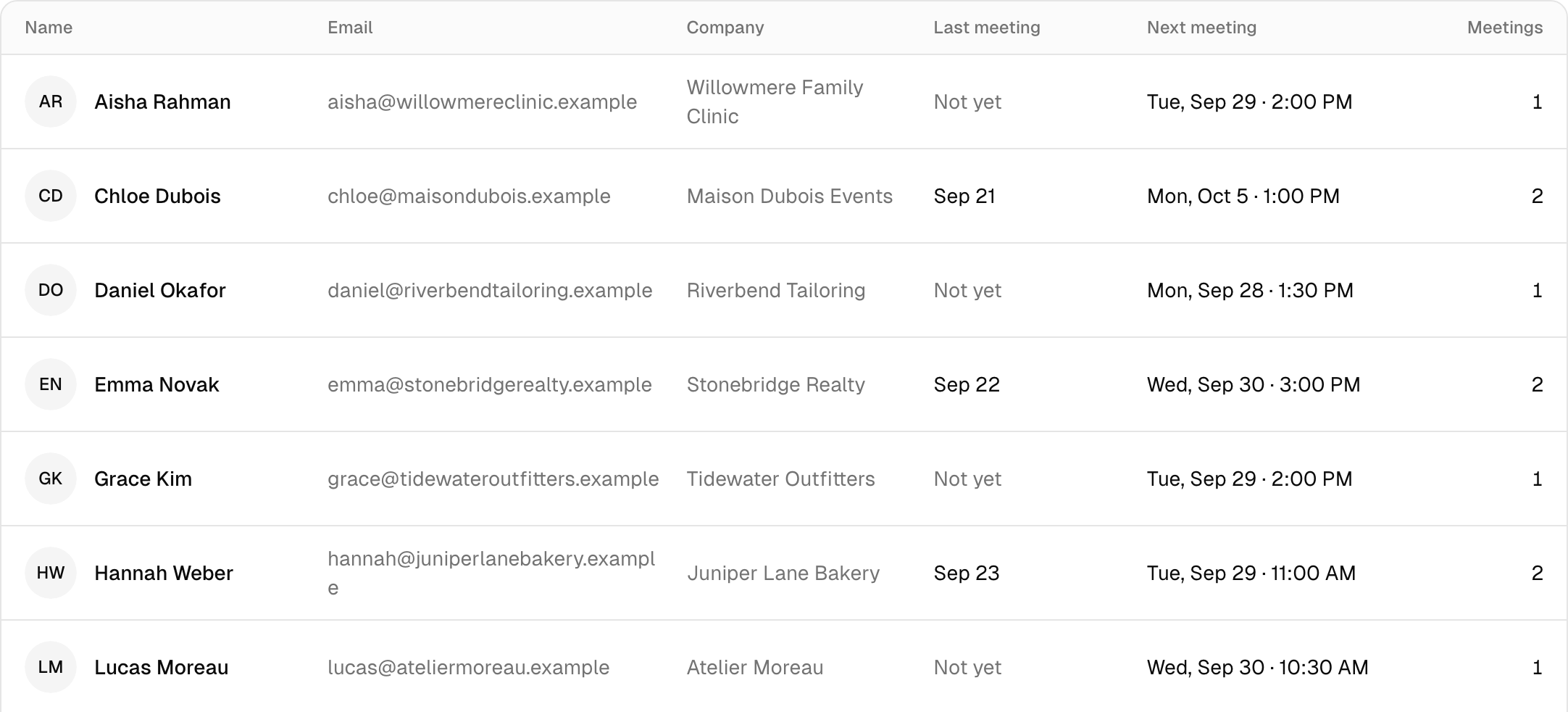
Contacts fill themselves in as people book. See their company, your last conversation, the next meeting and how often you’ve met.
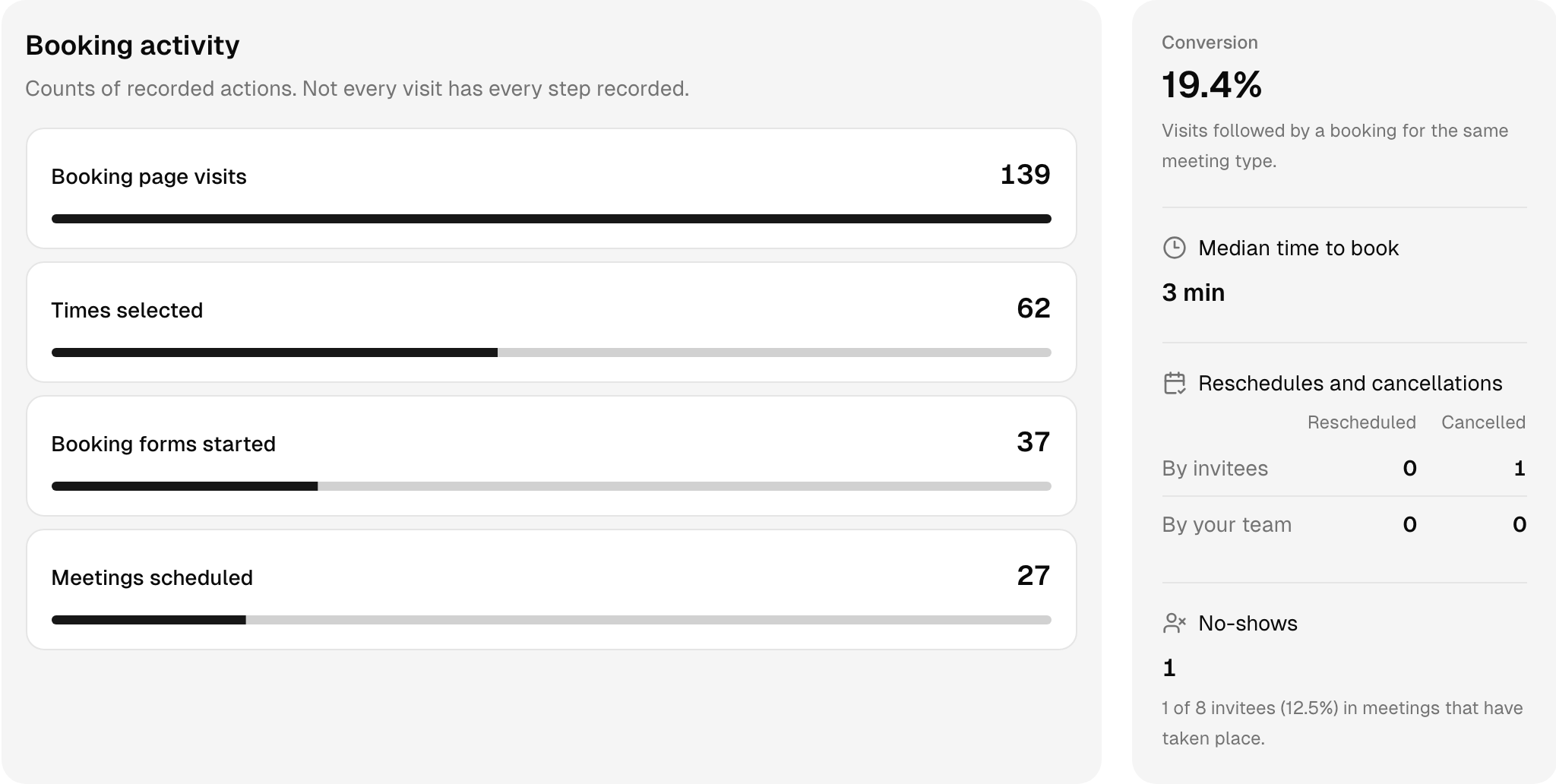
Follow the journey from a booking-page visit to a confirmed meeting. See where people drop off without collecting private answers or calendar contents.
For the work you do
One link for intro calls and paid sessions, with a question or two before each call.
Route new enquiries to the right meeting and meet clients as a team with collective meetings.
Offer a few session lengths, send reminders automatically and let clients reschedule without an email thread.
Share demos across the team with round robin, so every lead gets a time quickly.
Give customers one link for onboarding and check-ins, with the right teammate as host.
Send candidates a single-use link and book panel interviews only when every interviewer is free.
Name it, then choose how long it lasts, where you meet and who hosts. For example, a 30 minute intro call on Google Meet.
Choose the days and times you take meetings. Connect Google Calendar so busy times stay off your booking page.
Send it in an email, add it to your website or put it in your signature. People pick a time and the meeting is booked.

A good place to begin
Bookify Meetings is free at $0 USD per month. We’ll help you get set up, with full setup and customer support included.
We’re here if you need a hand.
Talk to our teamBookify Meetings is free at $0 USD per month. Its free subscription is separate from the Founding 100 offer for Bookify Bookings. Full setup and customer support are included.
No. They pick a time, enter their name and email, and they are booked. The confirmation lets them add the meeting to Google Calendar, Outlook or Apple Calendar, and it has a link to reschedule or cancel.
Google Calendar keeps busy times off your booking page and keeps your meetings in sync. For video, Bookify Video is built in, and you can connect Zoom or Google Meet instead. You can also meet in person or add your own video link.
Yes, with a webhook. Paste a webhook URL from Zapier, or from any app that accepts webhooks, and Bookify sends it every meeting that is booked, rescheduled or cancelled. In Zapier this uses the Webhooks by Zapier step, which needs a paid Zapier plan.
Your booking page shows times in each invitee's own time zone, and they can switch zones or choose a 12 or 24 hour clock. Your hours stay in your time zone.
Yes. Round robin gives each meeting to one free teammate, and collective meetings bring several hosts together when everyone is free. Each teammate keeps their own hours.
Yes. Set a price on a meeting type and connect Stripe. People can pay in full or pay a deposit when they book.
Yes. Turn on approval for a meeting type and each request waits for you to approve or decline it.
A private copy of Northstar Creative Studio, a made-up agency with sample meeting types, hosts, contacts and meetings. Open it as the organizer or as a guest. The demo never sends email or text messages, and it closes after 24 hours.
More time for the people on the other side of the call.